Presets
Preset management
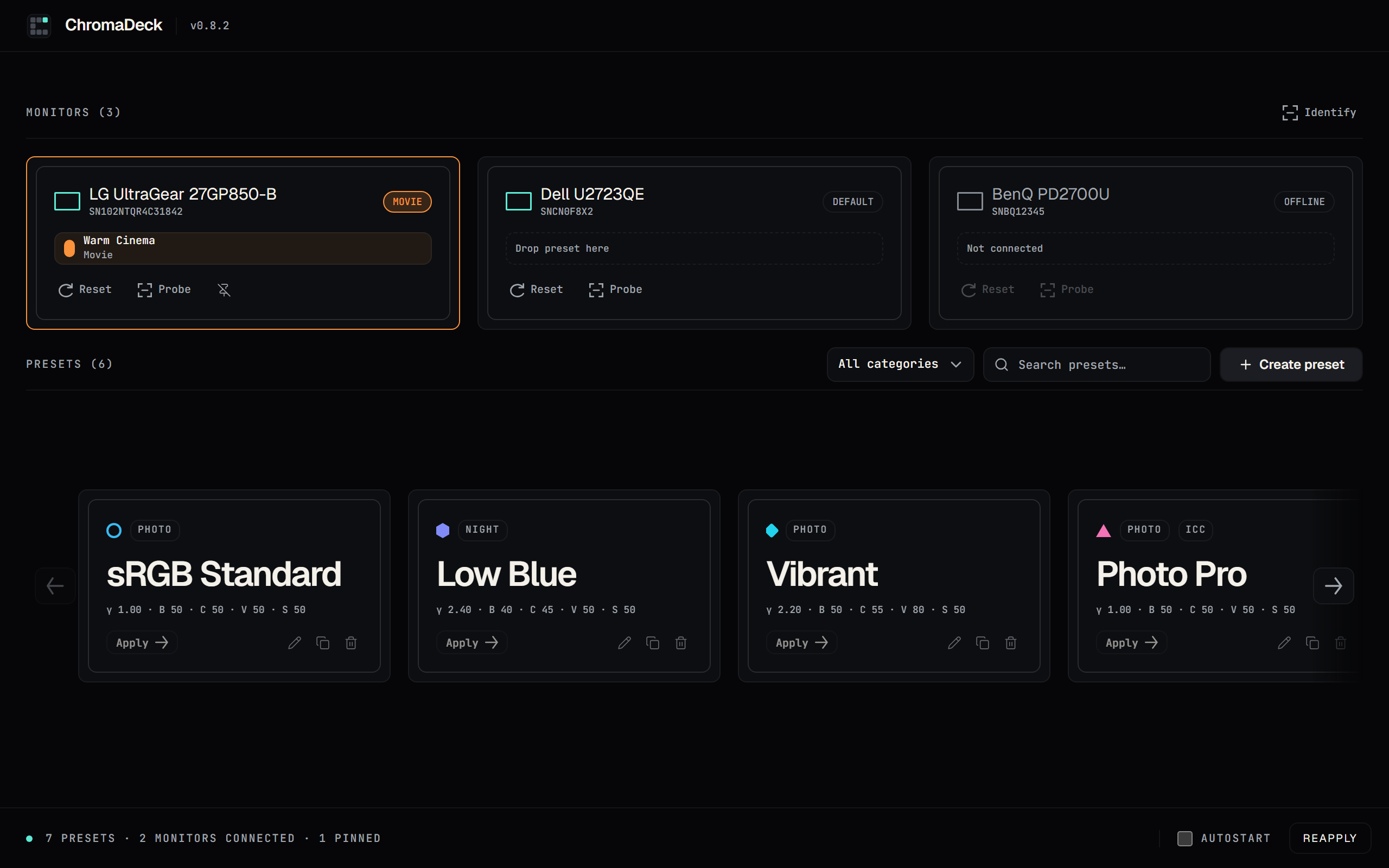
Create named colour presets with brightness, contrast, gamma, RGB gains, vibrance and hue. Name them, give them a colour tag and category, and keep them organised.
Display control / made simple
ChromaDeck is a free Windows utility for building display colour presets and applying them per monitor — brightness, contrast, gamma, RGB gains, vibrance and hue, saved once and switched in a click.
01What it does
Build once, apply anywhere. Every display gets its own colour without nested driver menus.
Presets
Create named colour presets with brightness, contrast, gamma, RGB gains, vibrance and hue. Name them, give them a colour tag and category, and keep them organised.
Displays
Enumerate every connected display through one interface. Serials are shown alongside names so each physical screen stays identifiable, including offline monitors.
Apply
Apply a preset to the appropriate display, pin it so it survives reboots and standby, and let ChromaDeck re-apply in the background every ten seconds.
Workflow
Start with Windows, reapply on demand, reset a monitor to defaults and probe its current state — all from the app shell without nested driver menus.
02Three steps
Create a colour configuration once, keep it in your library and switch between displays in a click.
Set brightness, contrast, gamma, RGB gains, vibrance and hue, then save it with a name, colour tag and category.
The preset library keeps every configuration named and searchable. Applied presets sit on their monitor card instead of duplicating in the library.
Pick a connected monitor and apply in one click. Pin it so ChromaDeck re-applies in the background, approximately every 10 seconds.
04See it in action
A quick walkthrough of the monitor dashboard, preset library, apply dialog, and pin workflow — direct from the v0.8.2 interface.
03Requirements & support
ChromaDeck is a Windows utility. These are the verified capabilities and limitations — nothing more is claimed.
Windows 10 / 11 x64
Native Windows display APIs; not macOS or Linux.
NVIDIA NVAPI (native) · GDI fallback
Per-display colour via NVAPI where supported; automatic GDI fallback on other displays.
Brightness · Contrast · Gamma · RGB gains · Vibrance · Hue
Per-channel RGB gains and vibrance/hue preview in the editor.
Create · Edit · Duplicate · Delete
Colour tags, categories, and per-monitor pinning.
Connected · Default · Offline states
Serial numbers shown; Identify overlay maps entries to physical displays.
Polling ≈ every 10 s
Re-applies pinned presets automatically; manual Reapply also available.
Windows startup
Tray icon with Show / Reapply / Quit.
MIT
Free software; source on GitHub.
05Get ChromaDeck
Get ChromaDeck and start building your own display colour experience.